← Back to Home
Smeg Oven/Cooktop User Guide
Overview
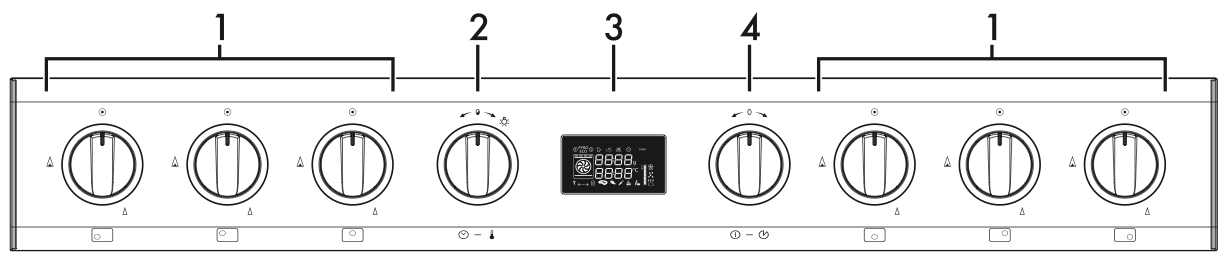
Getting Started
- Main power: Push right dial (4) to wake display.
- If "bLoC" appears it means the child lock is on, hold down dial (2) for 5 seconds to disable
- Display will light up showing time and temperature.
- Turn the right dial (4) to select the required cooking function (fan forced, fan grill, pizza etc).
- Press and then turn the left dial (2) to change the cooking temperature.
- Press the right dial (4) to start cooking.
- To turn off the oven, press
and hold the right dial (4).
Pre-heating
Note that the actual cooking is preceded by a pre-heating stage.
- The temperature level flashes to indicate that the pre-heating stage is in progress.
- When the pre-heating stage has finished, the level reached will remain constant and a buzzer will sound.
- Wait for the bell to place the dish(es) inside the oven.
Useful Features
- Timer: Press left dial (2) and turn to right to set timer.
- Child lock (bLoC): Hold down dial (2) for 5 seconds to disable.
- Light: Turn left dial (2) to the right.